 COME
COMECOME Account and Settings: choose the right entry
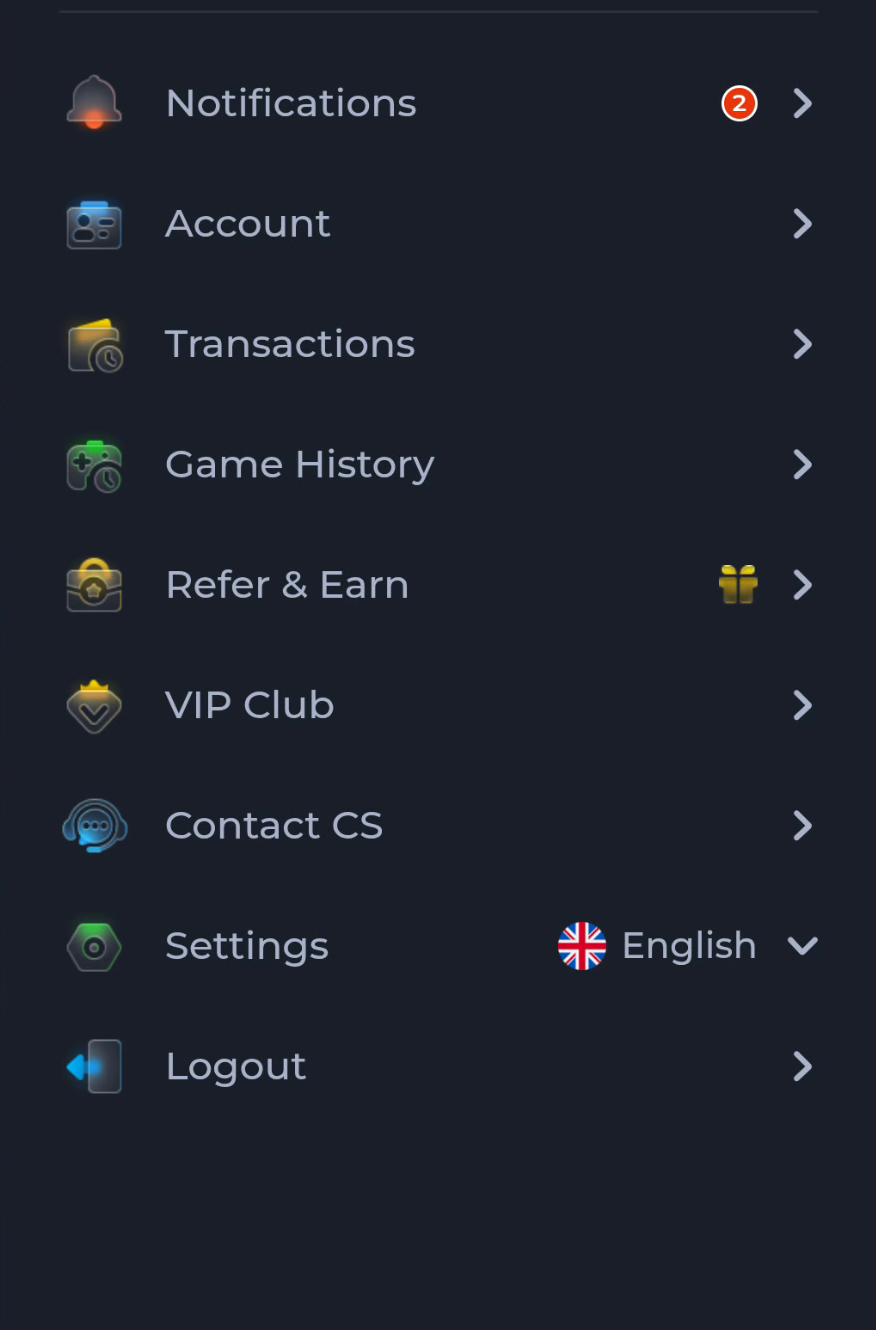
Use Account for account-related context and Settings for app preferences. COME gives these separate menu entries, so a preference question should not begin with an account reset.
Find the named menu entry
The menu also lists Transactions, Game History, Refer & Earn, VIP Club and Contact CS. Read the label before entering a section. A category can be adjacent to another without owning the same task.
Use the smallest relevant control
Settings contains Language, Check Update, Music On/Off and Effects On/Off. If your goal concerns one of those controls, begin there and observe its result. Account access and service records need their own legitimate routes.
Before moving to another task
Keep the current screen and the action you just took in mind. A menu label helps you locate information, but account changes, download completion and support decisions each need their own result. If the interface differs, match the actual label and context rather than following a memorised screen position. For a personal service question, stay with the recognised in-app help route and keep private access details out of public posts.
A practical example
To change music, open Settings and use Music On/Off. Logging out or creating another account would introduce a different task without addressing the named preference.
What a completed answer looks like
The chosen menu section matches your question and no unrelated account action has been taken.
Choose another specific COME guide